 Don't Wake the Cat
Help
Don't Wake the Cat
Help
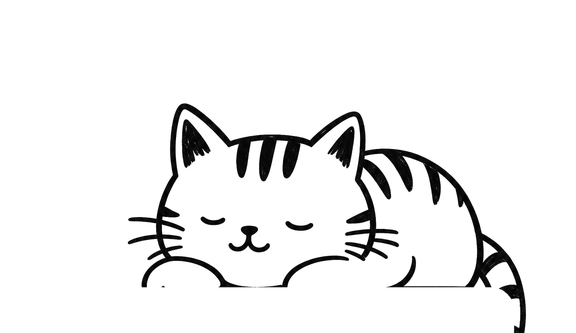
Shh. Focus.
Flip your phone face down and the cat naps while you work. Pick it up too soon and the cat wakes up.
How it works
1. Flip
Choose how long to focus and turn your phone face down. The cat curls up and the timer runs, screen off.
2. Don't peek
Lift the phone and you get a few seconds to put it back. Wait too long and the cat wakes up and gives you a look.
3. Stretch
Finish the nap and the cat stretches, pays you a compliment, and it's break time.
Things to collect
Compliment cards
Every finished nap ends on one of the cat's compliments. Forty to find, each one yours to keep or share.
Nap spots
Focus more and the cat finds new places to sleep: a cardboard box, a sunbeam, the bathroom sink, eventually your lap.
Cat Notes
Little notes from the cat for milestones along the way. Forty of those, too.
Also in the box
Breaks with the cat
Short and long breaks on a cycle you set, with the cat up to something on each one.
Sounds
Purr, rain on the window, fireplace, cafe and brown noise.
Lock Screen
A Live Activity and Dynamic Island countdown, widgets, and a chime when the nap ends.
Gentle stats
Today and this week, labels, and an optional daily goal. No streaks to lose.
Free, with a one-time Pro
The timer, the cat, compliments, Cat Notes, four nap spots and two sounds are free. Pro is a single $4.99 purchase, no subscription: all 12 nap spots, all five sounds, all-time stats, and blocking distracting apps while the cat naps.
Help
Do I have to leave my phone face down the whole time?
That's the idea, but there's a grace window. Lift the phone and you have a few seconds (you can set how many in Settings) to put it back before the cat wakes up. If it does wake, the timer pauses until you flip the phone back or tap Resume.
Can I use it without flipping my phone?
Yes. Tap "Can't flip? Start without flipping" on the home screen, or turn on Flip-free mode in Settings to start and pause with buttons.
Will I hear when the nap ends with the screen off?
Yes, if you allow notifications. The app asks after your first finished nap. You can also choose whether chimes follow your silent switch in Settings.
How do I restore my Pro purchase?
Settings > Purchases > Restore purchase, signed in with the same Apple Account you bought it with.
What does app blocking do?
With Pro, you can pick apps to block using Screen Time. They're blocked only while the cat is napping and unblocked when the nap ends. Your choices never leave your phone.
Something's not right
Email chris@neonfrenchie.com with what happened and your iPhone model. We read everything.